

TL;DR:
- Connected cycling accessories are wireless devices that link sensors, lights, and computers to improve safety and performance. Prioritizing safety gear like radar units and smart lighting enhances threat detection before adding performance sensors. Regular firmware updates and proper protocol management are essential for reliable operation during long rides.
Connected cycling accessories are smart, wireless devices that link your bike’s sensors, lights, and computers into one unified system to improve safety, visibility, and performance. The industry term for this category is “connected bike gear,” and it covers everything from radar units and GPS head units to power meters and adaptive lighting. This guide covers the essential device categories, how they communicate, how to manage battery life, and how to choose the right setup for your riding style. Thebeamofficial designs high-end safety accessories built around these same principles, with a focus on real-world usability for road, gravel, urban, and e-bike riders.
What types of connected cycling accessories are essential?
The connected cycling accessories guide starts with understanding the core device categories. Each category solves a different problem, and together they create a system that is far more effective than any single device alone.
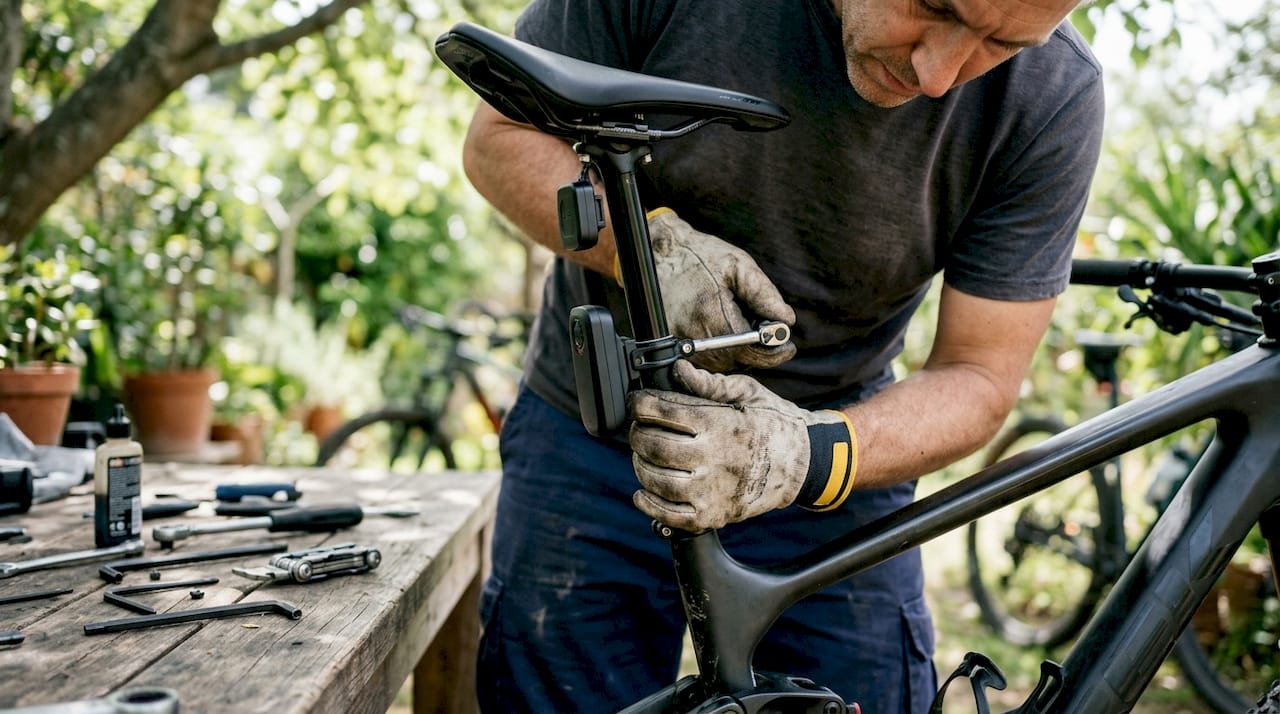
Smart lights with radar integration are the most direct safety upgrade available. A smart light paired with radar and a compatible head unit actively detects approaching vehicles and alerts you before they reach you. That moves you from passive visibility to active threat awareness, which is a fundamentally different level of protection.
Radar units detect vehicles approaching from behind at distances up to 160 meters, distinguishing between normal traffic and fast-closing threats. A quality radar unit tracks up to 8 vehicles approaching at speeds between 5 and 160 km/h. That range gives you enough time to react, change your line, or signal to a driver before the situation becomes dangerous.
GPS bike computers serve as the command center for your entire connected setup. They display data from every paired sensor, show radar alerts, and push smartphone notifications to your wrist. The best cycling gadgets in this category support both ANT+ and Bluetooth protocols, which matters when you start adding multiple sensors.
Power meters measure your actual effort output in watts, giving you objective training data that heart rate alone cannot provide. Pedal-based power meters communicate via both ANT+ and Bluetooth, offer accuracy within ±1.0%, and deliver up to 160 hours of battery life per charge. Their biggest practical advantage is portability: you can move them between bikes without recalibrating a new system.
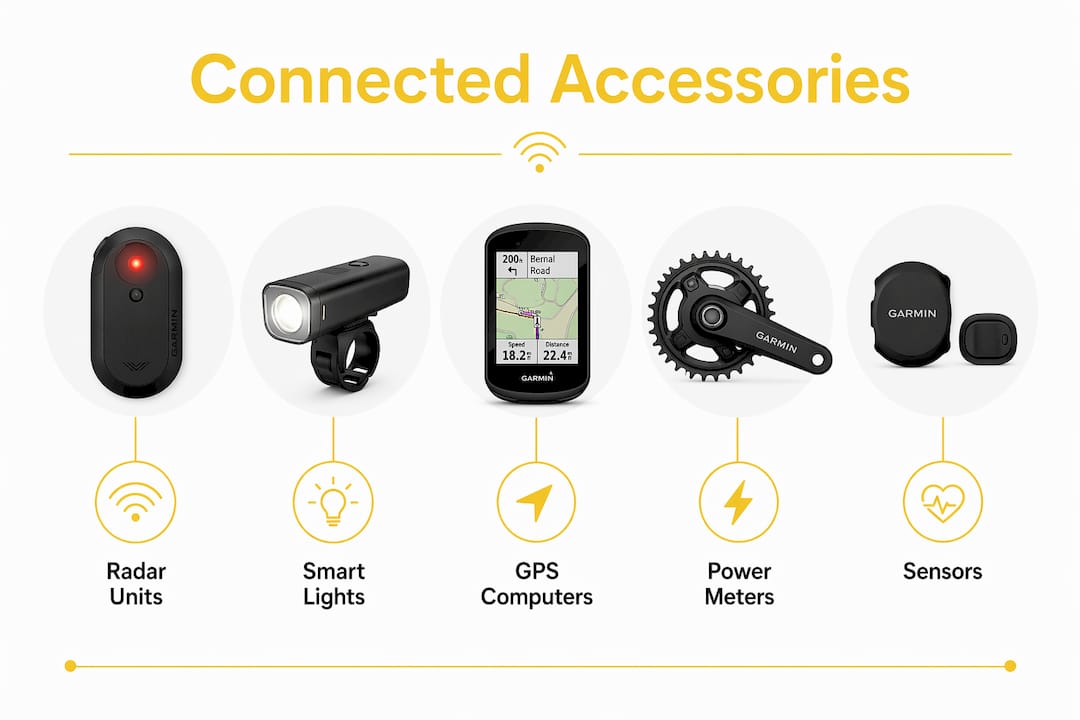
Speed, cadence, and heart rate sensors round out the performance side of a connected setup. These wireless cycling devices are inexpensive, widely compatible, and provide the baseline data that makes training analysis meaningful.
Pro Tip: Before buying any new sensor, check your GPS head unit’s manual for its maximum concurrent Bluetooth connection count. Exceeding that limit causes pairing failures that are frustrating to diagnose mid-ride.
How do connected cycling accessories communicate and integrate?
Wireless communication is the foundation of every connected bike gear setup. Understanding the two main protocols saves you from expensive compatibility mistakes.
ANT+ and Bluetooth are the two standards that govern how cycling devices talk to each other. Both protocols are used across most connected devices, but they behave differently. ANT+ is a one-to-many protocol, meaning a single sensor can broadcast to multiple head units simultaneously without pairing. Bluetooth is a one-to-one protocol, which means each connection is exclusive and counts against your head unit’s connection limit.
Here is a practical workflow for pairing a new connected setup without errors:
- Audit your head unit first. Check the manufacturer’s spec sheet for the maximum number of simultaneous Bluetooth sensor connections. Many GPS head units impose hard limits on concurrent connections, and exceeding that number causes silent pairing failures.
- Prioritize ANT+ for performance sensors. Power meters, cadence sensors, and heart rate monitors work well over ANT+ and free up Bluetooth slots for devices that require it, such as radar units and smartphone notifications.
- Pair one device at a time. Add each sensor individually, confirm it appears in your head unit’s sensor list, and complete a short test ride before adding the next device.
- Verify radar alert display. After pairing a radar unit, confirm that vehicle approach alerts appear on your head unit screen before your first road ride. A radar that pairs but does not display alerts provides no safety benefit.
- Check firmware before every major ride. Firmware updates regularly add new features and fix bugs. Monthly checks via companion apps keep your devices performing correctly and prevent compatibility errors after head unit software updates.
Pro Tip: If a sensor drops connection mid-ride, the first fix is a firmware update on both the sensor and the head unit. Mismatched firmware versions cause more pairing problems than hardware faults.
Staying current with firmware is not optional maintenance. It is the difference between a system that works reliably and one that fails when you need it most.
Battery life and charging best practices for connected gear
Energy management separates riders who finish long rides with full situational awareness from those who lose radar coverage at mile 40. Understanding runtime by mode is the starting point.
Smart lights with integrated radar offer multiple operating modes with significantly different runtimes. The table below shows typical runtimes for a quality radar-light unit:
| Mode | Typical Runtime |
|---|---|
| Radar only | Up to 30 hours |
| ECO Flash | Up to 27 hours |
| Peloton | Up to 26 hours |
| Night Flash | Up to 23 hours |
| Day Flash | Up to 21 hours |
| High visibility | Up to 15 hours |
Recharge time for these units runs approximately 3 hours via USB-C. That standard connector matters because it means one cable charges your radar unit, GPS head unit, and most modern lights.
Cold weather reduces lithium battery capacity noticeably. On rides below 40°F, expect runtimes to drop by roughly 20%. Keep devices inside your jersey pocket during pre-ride warm-up to maintain battery temperature before mounting them.
Monitor battery levels through your GPS head unit or companion app before every ride. Most connected devices broadcast their battery percentage over ANT+ or Bluetooth, so your head unit can warn you before a device goes dark.
How to choose connected cycling accessories for your riding style
Choosing the right connected bike gear starts with your existing setup, not a feature wishlist. Prioritize head unit compatibility with your current sensors before adding new devices.
For safety-focused riders on roads and mixed-traffic routes, the highest-return investment is a radar unit paired with a smart rear light. This combination gives you both visibility and active threat detection. The safety advantage of connected systems lies in moving beyond passive visibility to actively warning you of approaching dangers, which shortens your reaction time in real traffic.
For performance-focused riders tracking training load, a power meter is the single most data-rich addition to any setup. Pedal-based designs are bike-agnostic, meaning you can move them between your road bike and gravel bike without buying a second unit. Pair them with a GPS head unit that supports both ANT+ and Bluetooth to keep all your data in one place.
Key factors to evaluate before any purchase:
- Protocol support: Does the device use ANT+, Bluetooth, or both? Dual-protocol devices offer the most flexibility.
- Head unit compatibility: Confirm the device appears on your head unit’s supported sensor list before buying.
- Mounting options: Look for devices that fit your existing bar or seatpost setup without adapters.
- App support: A companion app with active development means firmware updates will continue. Abandoned apps mean your device stops improving.
- Battery standard: USB-C charging simplifies your kit. Proprietary chargers are a liability on multi-day tours.
- Modular design: Accessories that work across multiple bike types protect your investment as your fleet changes.
For cyclists building a connected safety setup from scratch, start with a radar-light unit and a GPS head unit. Add performance sensors once the safety layer is working reliably. This order of operations prevents the frustration of a complex setup that fails on its first real ride.
Pro Tip: Buy devices from brands that publish firmware update logs. A public changelog tells you the brand is actively improving the product, not just selling it.
Key Takeaways
Connected cycling accessories deliver the most safety and performance value when devices share compatible protocols, firmware stays current, and battery management matches the ride distance.
| Point | Details |
|---|---|
| Start with radar and smart lighting | This combination moves you from passive to active safety awareness on any road. |
| Verify head unit connection limits | Bluetooth sensor caps cause pairing failures; check your head unit specs before buying. |
| Match protocols to sensor type | Use ANT+ for performance sensors to preserve Bluetooth slots for radar and phone alerts. |
| Manage battery by mode | Switching from High to ECO Flash mode can double your runtime on long rides. |
| Update firmware monthly | Regular updates prevent compatibility errors and unlock new device features. |
Why I always tell riders to start with safety, not stats
Most cyclists I talk to want to jump straight to power meters and GPS computers. The data is compelling, and I understand the appeal. But after years of riding in mixed traffic and working with safety-focused gear, I have come to a firm position: the radar-light combination is the single most important upgrade you can make, and it should come before any performance sensor.
Here is the uncomfortable truth about connected cycling technology. A power meter tells you how hard you are working. A radar unit tells you whether you are about to get hit from behind. Those are not equivalent problems.
The mistake I see most often is riders who build elaborate sensor setups on their GPS head unit, hit the Bluetooth connection limit, and then cannot add a radar unit without removing a sensor. That is a fixable problem, but only if you plan your setup in the right order. Safety devices get the first connection slots. Performance sensors fill in around them.
Firmware neglect is the other common failure. I have seen radar units that stopped displaying alerts on a head unit after a software update, simply because the rider had not updated the radar’s firmware in six months. The fix took three minutes. The risk during those six months was real.
Connected accessories genuinely change how you ride. Knowing a vehicle is 160 meters behind you and closing fast gives you time to move right, signal, or hold your line with confidence. That situational awareness is worth more than any watt measurement. For riders who want to go deeper on how these systems work together, the connected safety technology overview from Thebeamofficial covers the technical side in detail.
— Sophie
Thebeamofficial’s safety gear for connected riders
Thebeamofficial builds helmets and accessories specifically for cyclists who take safety seriously. The VIRGO integral helmet with MIPS technology is the brand’s flagship, designed for road, gravel, urban, and e-bike riders who want protection that matches the quality of their connected gear.
Beyond helmets, Thebeamofficial offers high-visibility reflectors and safety accessories that complement radar and smart lighting setups. Every product is built for real-world usability, not just spec-sheet performance. Riders in France, the U.S., and Germany rely on Thebeamofficial gear for daily commutes and long-distance rides alike. Browse the full range of adult helmets and cycling accessories to find gear that works with your connected setup.
FAQ
What are connected cycling accessories?
Connected cycling accessories are wireless devices that link to your GPS head unit, smartphone, or other sensors to share real-time data on safety, navigation, and performance. Common examples include radar units, smart lights, power meters, and GPS computers.
What wireless protocols do cycling devices use?
Most connected bike gear uses ANT+ and Bluetooth. ANT+ allows one sensor to broadcast to multiple devices simultaneously, while Bluetooth offers a dedicated connection that counts against your head unit’s sensor limit.
How long does a radar unit battery last?
Radar units last up to 30 hours in radar-only mode and approximately 15 hours in high-visibility mode, with a recharge time of around 3 hours via USB-C.
How far can a cycling radar detect vehicles?
Quality radar units detect approaching vehicles at distances up to 160 meters, tracking up to 8 vehicles at speeds between 5 and 160 km/h.
How often should I update my cycling device firmware?
Monthly firmware checks via companion apps are the standard recommendation. Regular updates fix bugs, add features, and prevent compatibility errors between devices after head unit software changes.


